Category: Product review /
Tags: no tag / Comments Off on StarTech USB VGA Dock
One of the downsides to mobile computing is the limitation of device connectivity with your laptop. Too few USB ports, inability to connect an external or even second monitor easily and so forth.
Typically this is handled by a clunky and space consuming, not to mention EXPENSIVE docking station that will only connect a specific make and model laptop.
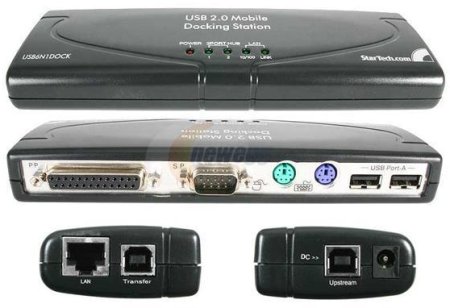
Enter the StarTech USB VGA Dock. Weighing in at just at 7 1/2 ounces and measuring 8″x2.8″x0.8″ this small footprint, lightweight connection enhancer features four USB 2.0 ports, One 10/100 Ethernet jack along with stereo out and microphone jacks, all connected to your computer via USB 2.0.
Not only that, but the StarTech USB VGA Dock also features a VGA port to connect an external or secondary monitor via the USB port of your laptop. Supporting resolutions of 1600×1200 @ 32 bits and 1920×1200 @ 16 bits it’s more than useful when you need that extra desktop real estate.
I was able to set this up in no time flat. And using the included software was able to easily connect and configure a second monitor as an extended or even mirrored display. The addtional USB ports are very handy for connecting addtional devices and the audio jacks performed well for connecting my external speakers easily.
Additional product and pricing information can be found at the Startech site.
Category: Announcements /
Tags: no tag / Comments Off on Hurricane IKE Bytes!
The crew of Technology Bytes is alive and well after Hurricane IKE, however Tech Bytes is cancelled for Wednesday, Sept 17th due to power outage at the station and at the transmitter. We hope to be back next week.
Here’s hoping all of our listeners are fairing well and here’s to a speedy recovery for us all!
Category: Product review /
Tags: no tag / Comments Off on The VerteX™ In Action
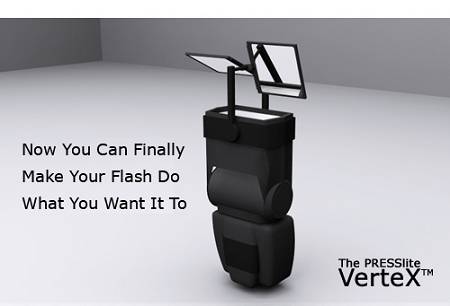
Last May I told you about The PRESSlite VerteX™, a unique light modifier that has the ability to give you a greater level of control over the light flow from your swivel-head flash.
Well, today I have an actual sample of the device in hand.
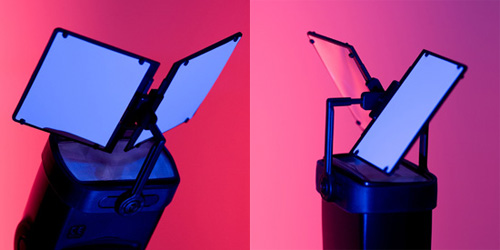
It’s pretty slick. It basically fits on the end of a swivel flash and by adjusting two versatile little panels you can easily and quickly diffuse or redirect light in a variety of ways.
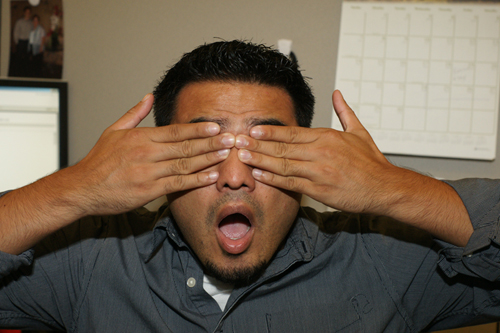
These are some sample shots that my co-worker Luis was kind enough to let me take.
This is full flash
As expected, the subject is brightly illuminated, perhaps even harshly so. But check out what happens when I move the VereX into place and use the white panels to diffuse and bounce the light onto the subject
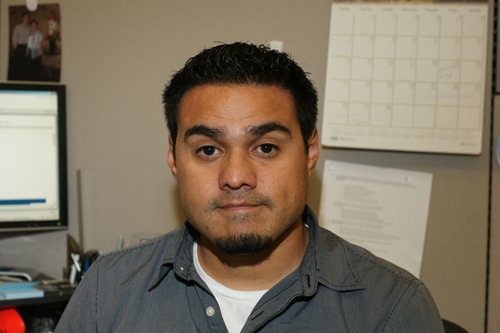
Far less harsh but maybe no bright enough. One quick flip and I diffuse 50% of the flash and project the other 50 using the mirror side
You start to see the possibilities. The VerteX lets you use your flash in a number of ways that can really let you fine tune how you light your subject. By taking the above and just fine tuning the angles a bit more this was the final result
I don’t claim to be a skilled user of flash in my photography, but I like the results.
Check out the Presslite Web site for 3D demos of all of the devices capabilities. They offer some really interesting demos and some real life applications for the VerteX.

 Please join in on Texas Recycles Day by bringing your electronics to